Loading Page

14-Day Free Trial
Full access. No credit card.
Quick & Easy Setup
Get started in minutes.
Expert Support
We're here to help.
Cancel Anytime
No hidden charges.
Most delivery problems are not about the work itself. They come from scattered updates, unclear ownership and clients who feel left in the dark.
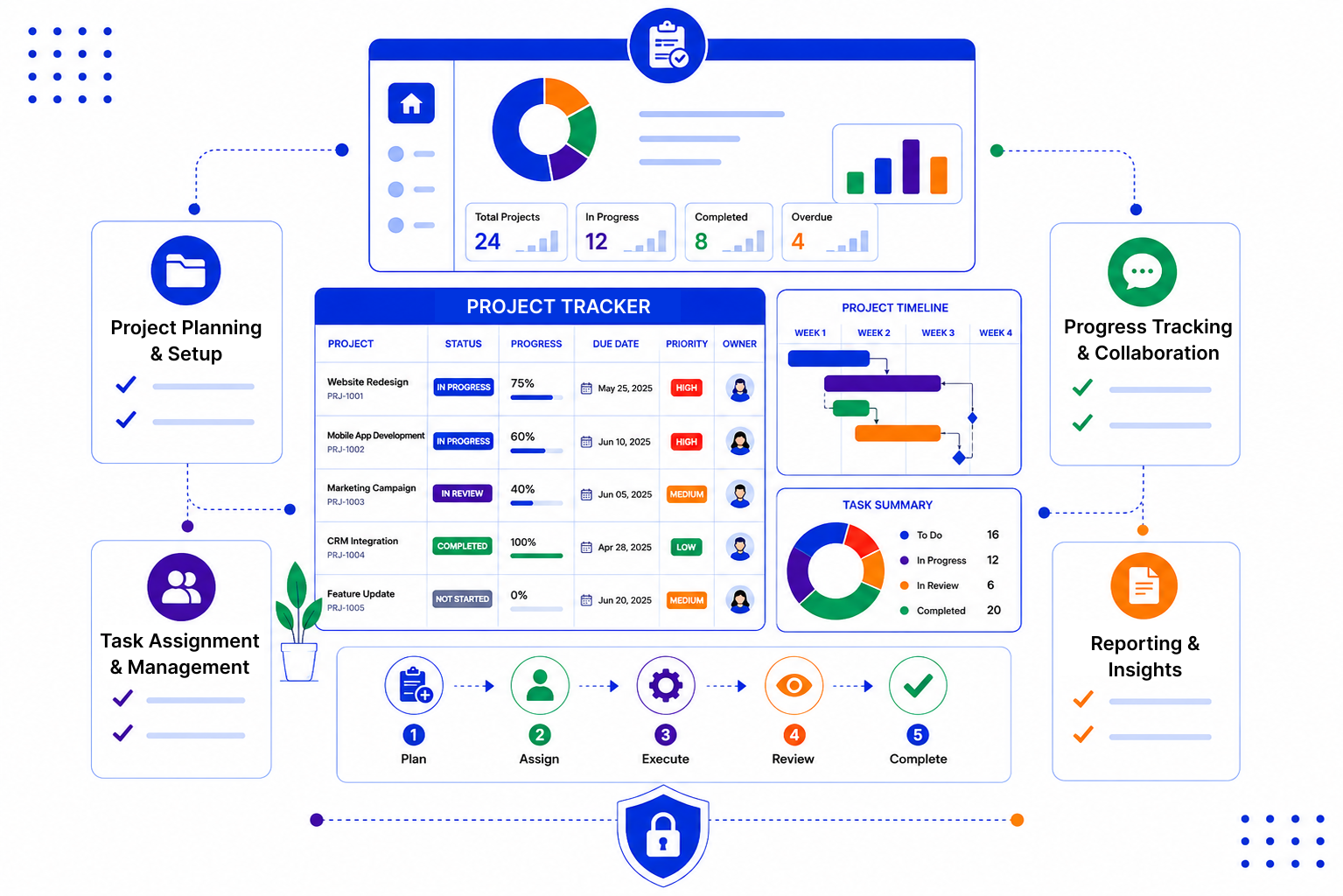
You set up the stages that match how you deliver, then attach tasks, people and documents to each project. Because it all sits on the client record, anyone can pick it up.
Create a custom pipeline for delivery with stages like Kickoff, In Progress, Client Review and Complete. Each project is a card you can drag forward as work moves on.
Break each project into tasks with a clear owner and a due date. Smart reminders and follow-ups make sure nothing quietly slips past its deadline.

Emails, meetings and notes are logged against the contact and company, so the full story is there when someone new joins. Share files through secure links and pull status reports without chasing people.

A project tracker only helps if people actually use it. The best setups are simple, match the way your team already delivers, and keep the client conversation close by.

SalesPeep helps teams track project work more reliably so they can deliver on time and with confidence.

No. SalesPeep is a CRM, and it does not offer Gantt charts, timelines, dependencies or time tracking. It works well as a project tracker for client work where you need stages, tasks, reminders and the customer conversation together. Teams with complex internal schedules often keep a dedicated PM tool for that and use SalesPeep for the client side.
Yes. You can create a custom pipeline with whatever stages your team uses and change them as your process changes. Projects appear as cards on a Kanban board you can move between stages.
You can sync Gmail or Outlook, or use the Gmail Chrome extension, so emails are logged against the right contact and company. Everyone with access can then see the history without forwarding threads around.
Yes. Documents can be shared through secure links that can expire, and each view is logged. This is handy for briefs, proposals and sign-off files.
Access is controlled by roles. Owners, admins and read-only viewers come built in, and you can create custom roles to decide who can view, add, edit or delete records. Each organisation's data is kept in its own isolated workspace.
Most teams begin by creating a pipeline with their delivery stages and importing their clients. You can start small with one team and add more structure as you go, and we can help during a demo.
Yes. The SalesPeep mobile app lets you check records, tasks and reminders when you are away from your desk or on a client visit.
Yes. You get a 14-day free trial with full access to every feature, and no credit card is needed to sign up.