Loading Page

14-Day Free Trial
Full access. No credit card.
Quick & Easy Setup
Get started in minutes.
Expert Support
We're here to help.
Cancel Anytime
No hidden charges.
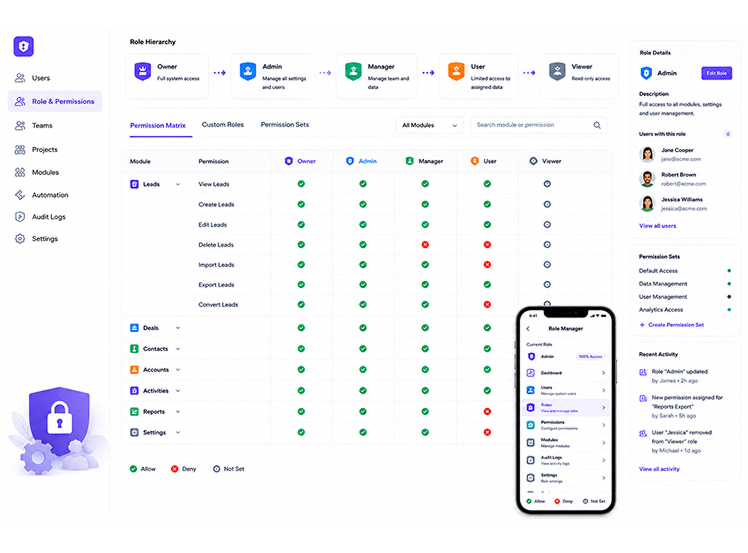
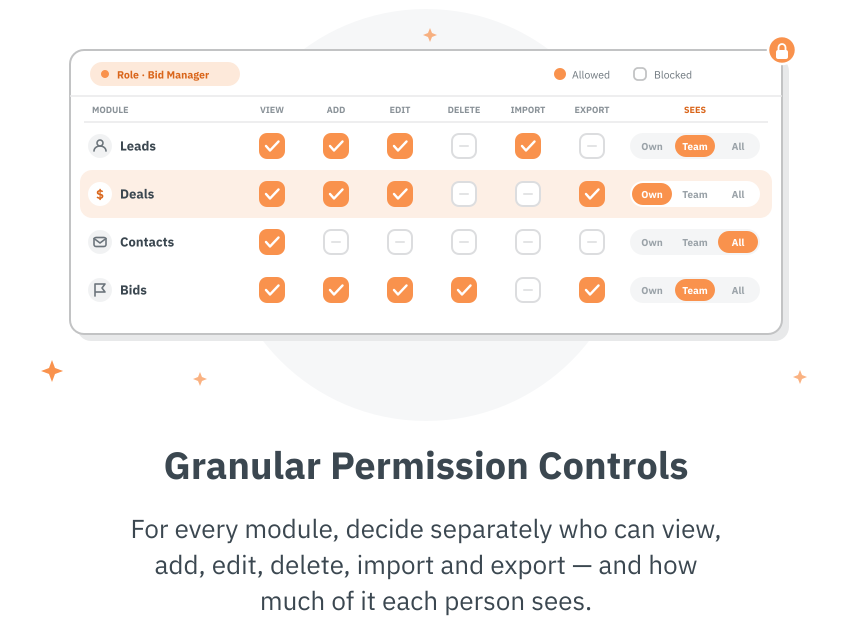
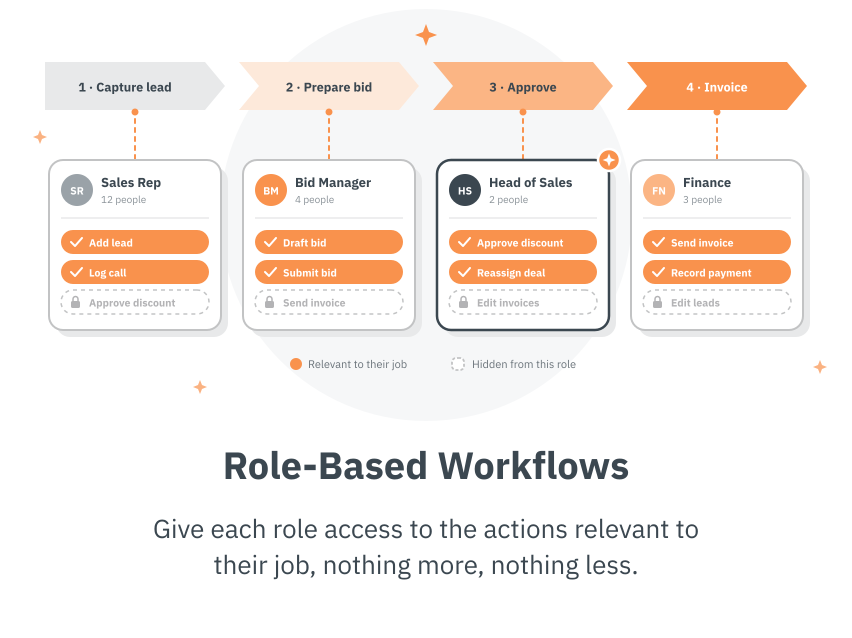
Keep your CRM data secure while giving each team member exactly what they need.
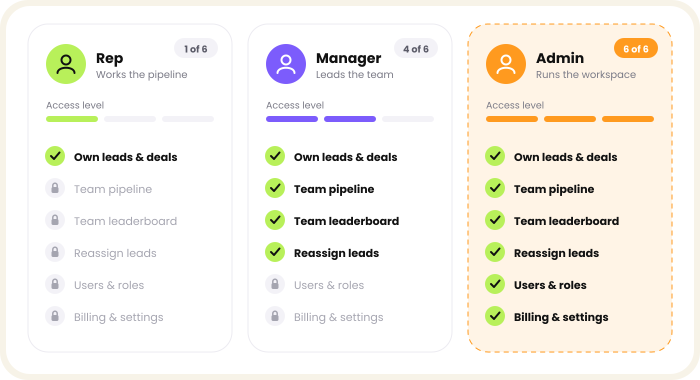
No more choosing between giving everyone full access or locking things down too tight. Role-based permissions let you match access to responsibility, so reps, managers, and admins each see exactly what they need to do their job well.
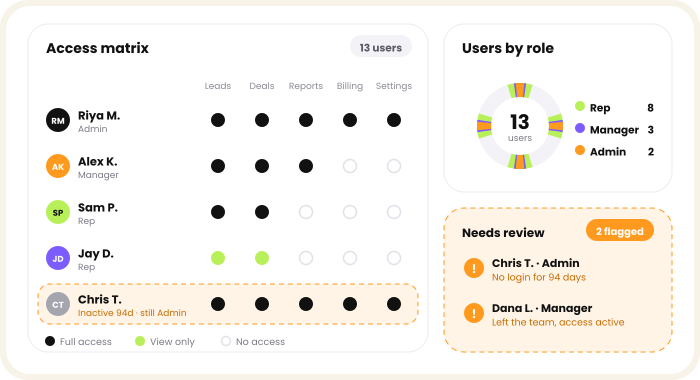
See a clear breakdown of roles, permissions, and who can access which parts of your CRM. Catch outdated access before it becomes a security gap, and keep your data protected as your team grows and changes.
We know choosing the right software raises a lot of questions. Here are answers to the ones we hear most.
Get Started FreeThey let you control what each team member can see and do in the CRM, based on their assigned role.
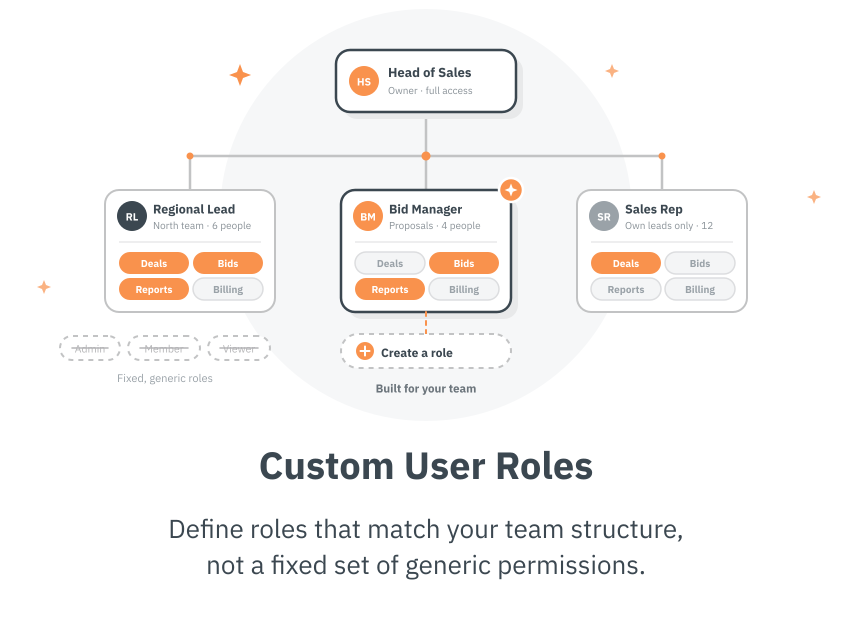
Yes. You can define roles that match your actual team structure instead of relying on fixed, generic permission sets.
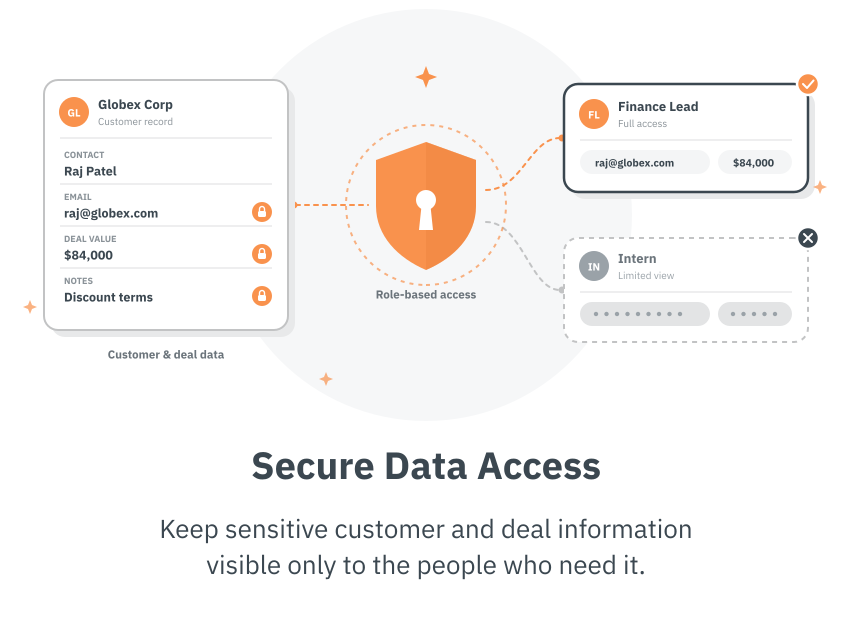
Very. You can control access at the feature and data level, not just grant broad, all-or-nothing access.
You can update their permissions instantly, so access always reflects their current responsibilities.
Yes. By limiting access to only those who need it, role-based permissions reduce the risk of data being seen or changed by the wrong people.