Loading Page

14-Day Free Trial
Full access. No credit card.
Quick & Easy Setup
Get started in minutes.
Expert Support
We're here to help.
Cancel Anytime
No hidden charges.
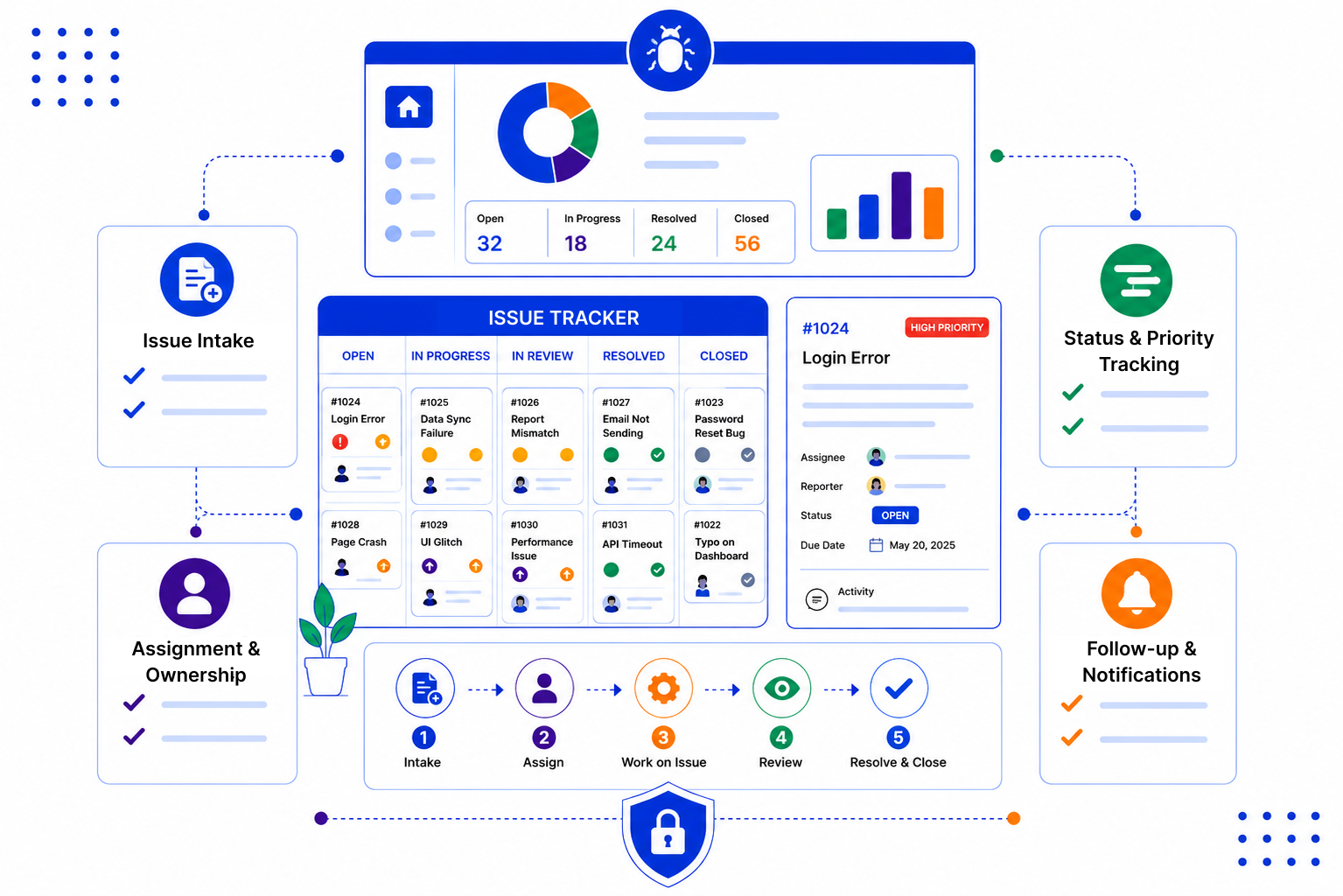
Customers rarely get upset about one problem. They get upset when they have to chase you about it.
You build an issue pipeline with stages that suit your team, then use tasks, reminders and email to work each issue through to resolution.
Create a pipeline with stages like New, Investigating, Waiting on Customer, Resolved and Closed. Use custom statuses or stage names to mark priority so urgent issues stand out on the board.
Assign each issue to a person, and split the work into tasks if several people are involved. Reminders and follow-ups make sure nothing sits untouched for too long.

Reply to the customer from the record using templates, so updates are quick and consistent. Every email, note and change is logged, so you have a full history of what was done.

Good issue handling is mostly about two habits: someone clearly owns it, and the customer hears from you before they have to ask. A simple tracker makes both easier.

SalesPeep helps teams track issues in a repeatable way so they can resolve more problems without losing context.

Not really. SalesPeep is a CRM, so it has no code or Git integration, sprints or developer workflows. It is best for tracking the customer side of an issue: who reported it, who owns it, and what the customer has been told. Many teams keep engineering work in their dev tool and use SalesPeep to manage the customer relationship around it.
No, SalesPeep does not offer a ticket portal or SLA management. Teams use its pipelines, tasks and email tools to run a simple issue tracking process tied to their customer records.
You can use custom statuses or create stages that reflect priority, and filter the board to see urgent items first. Reports show how many issues are open at each level.
Yes. Round Robin assignment can share new records across a group of teammates. You can also assign issues by hand when a specific person should take it.
Yes. Notes, emails, task changes and stage moves are recorded in the activity history, and audit logs show who made important changes.
Access depends on roles. Owner, admin and read-only roles are included, and you can create custom roles. Each organisation's data is kept in its own isolated workspace.
You create a pipeline with your stages, decide who handles what, and you are ready to log issues. Many teams start simple and refine stages after a few weeks of use.
Yes. SalesPeep includes a 14-day free trial with full access, and no credit card is required.